
Reports in ContentCrew are now editable slide decks
Build client reports as editable slide decks in ContentCrew and pin comments on any item. Plus a week view in Plan and your own video cover images.
Report day often means numbers in one tab, a slide tool in another, and feedback somewhere in between. Reports in ContentCrew now open as editable slide decks, and it’s the change from this week we’ve been most excited to show you.
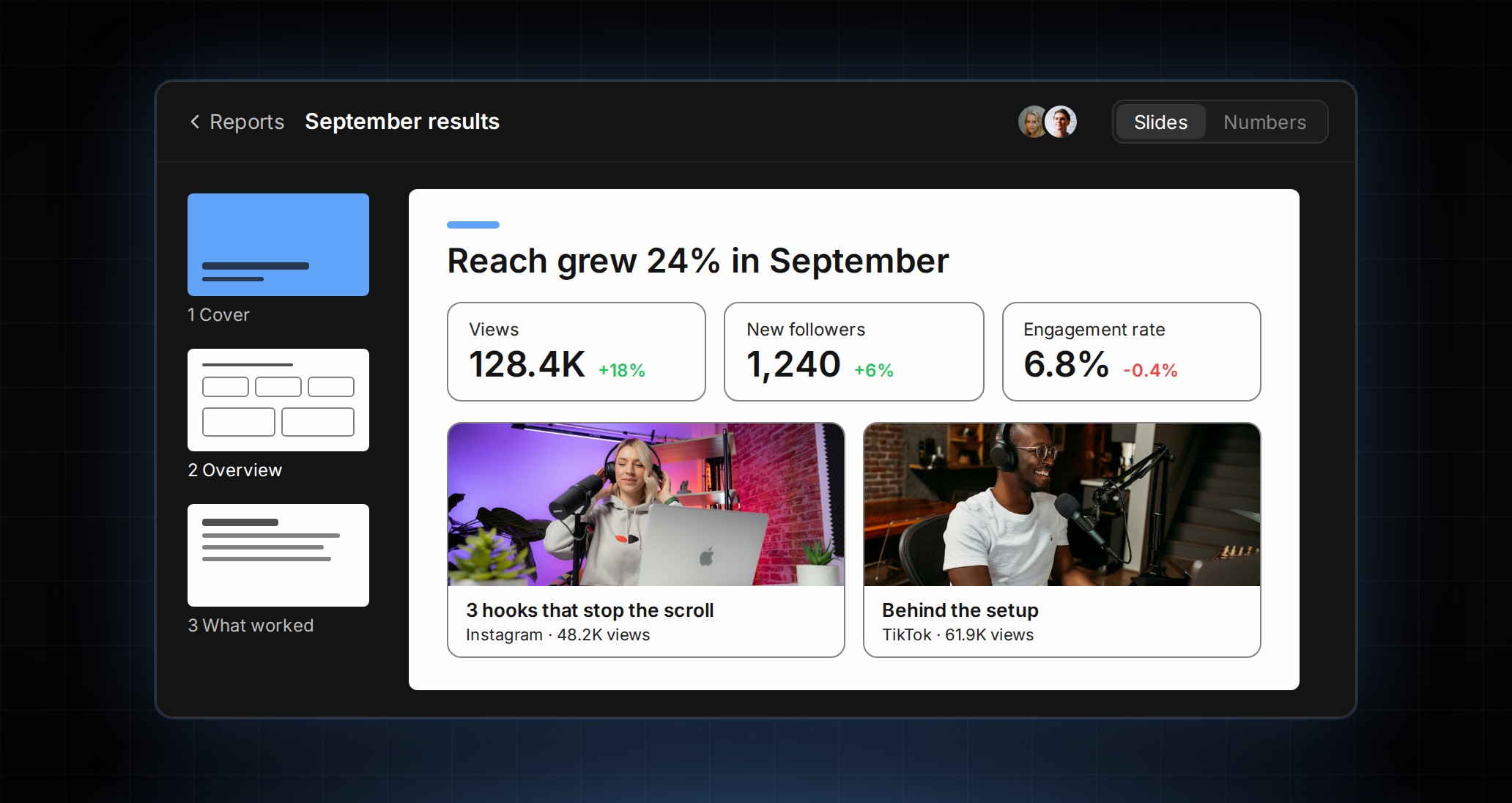
Start from a template, a copy of an earlier report, or a blank deck. Add pages from ready-made layouts, reorder them, and edit each slide on a clean full-width canvas. You can see who else is in the report with you, your changes save as you go, and when the deck is ready, you download a PDF to send on.
The feedback lives in the report, too. Drop a pin on any item, then reply, mention a teammate, or resolve it. A notification takes you straight to the right page, and each page shows its own comment count. We think the conversation about the numbers belongs next to the numbers, in one place.
Plan has a week view now: day columns of idea cards you can drag to reschedule, add to, or act on where they sit. A new Display menu sets the layout, period, weekends, and which card details show. On your phone, swipe left or right through months and weeks, and tap the top bar to jump back to today.
More from the week: on the Publish screen, choose between a frame from your video and your own cover image, and that cover goes with the post to Instagram, Facebook, LinkedIn, YouTube, and TikTok. On iOS, the Today widget puts upcoming posts, your tasks, and the review count on your home screen. The script editor can copy just the spoken lines, ready for a text-to-speech tool. And anyone you share a review link with can open it right away, then type just a name the first time they comment.
Open a report and build your next client update as a deck. Every change from the week is in the changelog.